
Free tools
Free for Mac & Windows
Download Music Library Tools
Download Music Library Tools and discover a better way to manage your Serato library. Get started with free tools or unlock the complete MLT Pro suite for access to every tool, future apps and lifetime updates.
Free tools included · Serato 3+ · Optional paid upgrades
Download Music Library Tools
Choose the version for your computer.
MLT is available for Apple Silicon Macs, Intel Macs and Windows PCs. It needs macOS 11 Big Sur or later, or 64-bit Windows 10 or 11. Download the correct version below and start managing your Serato library.
Select your platform
Download MLT for free
We’ve selected the right download for your device. You can choose a different version below if needed.
Download MLT for Mac
Choose your platform
Download MLT
Using another device?
MLT Pro access
Already purchased MLT Pro?
Sign in to your account to download the fully unlocked version.
What is included
Start free. Upgrade only when you need more.
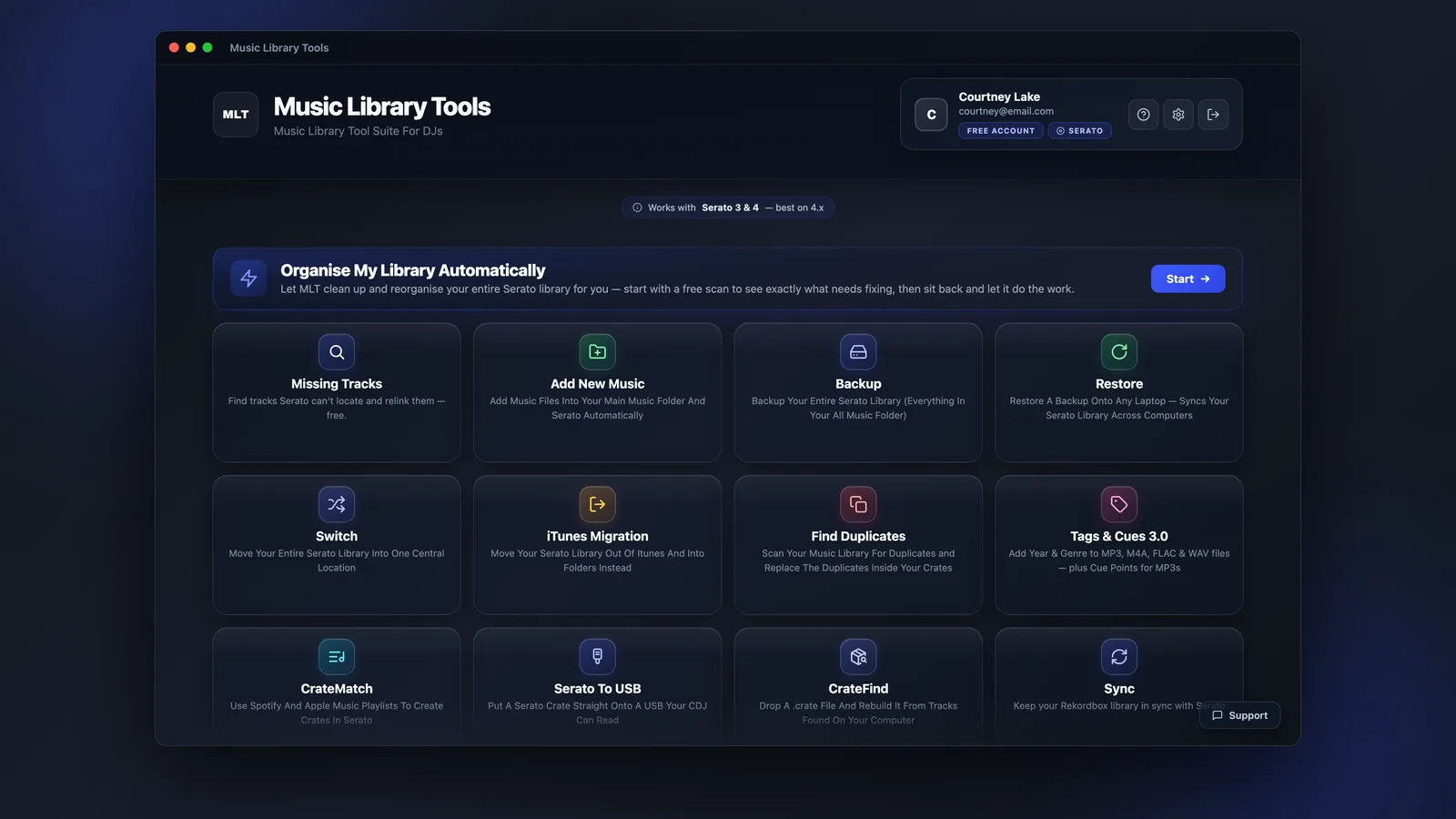
The MLT download includes free Serato library tools straight away. Explore paid apps individually or choose MLT Pro for every current tool, future apps and lifetime updates.
Free
Fix Missing Tracks
Find tracks Serato can no longer locate and restore broken file paths.
FreeRemove Duplicate Tracks
Identify duplicate songs and files using audio fingerprinting.
FreeAdd New Music
Bring new tracks into your library and keep your collection organised.
FreeBrowse Serato Crates
View and inspect your Serato crates outside the DJ application.
UpgradeMove Your Serato Library
Transfer and consolidate your music without breaking crates or playlists.
UpgradeBack Up Your Library
Protect your Serato crates, cues, tags and library data.
All Music Library Tools
See every free tool and paid app in one place.
Free tools are included with the download. Paid apps can be tried in free mode, purchased individually or unlocked together with MLT Pro.
Built for Serato DJs
A faster way to manage your music library.
MLT helps remove repetitive library work so you can spend more time preparing sets and less time fixing files.
Work with crates, playlists, missing files, tags and library data using tools designed around real DJ workflows.
Use MLT on Apple Silicon and Intel Macs running macOS 11 Big Sur or later, and on 64-bit Windows 10 and 11 PCs.
Use the free tools or purchase individual apps. MLT Pro is available as a one-time payment.
FAQ
Questions about downloading MLT.
Everything you need to know before installing Music Library Tools.
Is Music Library Tools free to download?
Yes. MLT is free to download and includes free tools for managing your Serato library. Paid apps and MLT Pro are optional upgrades.
Does MLT work with Serato?
Yes. Music Library Tools is designed for Serato libraries, crates, playlists and library data.
Which download should I choose?
Mac users
Choose Apple Silicon if your Mac has an M-series chip, such as an M1 chip or newer. Choose Intel Mac if you have an older Intel-based Mac. Both need macOS 11 Big Sur or later; the app will not open on Catalina (10.15) or earlier. Check yours under Apple menu → About This Mac.
Windows usersChoose the Windows download for a Windows PC. The Windows version is designed for supported 64-bit Windows computers.
Can I upgrade individual apps later?
Yes. You can start with the free tools and upgrade individual apps when needed, or choose MLT Pro to unlock the complete suite.
Ready to manage your Serato library?
MLT Pro includes every current tool, every future app and lifetime updates with one payment. No subscription or recurring fee.