
Find and fix missing tracks
MLT scans your whole laptop for missing files by filename, updates the paths in Serato, and your tracks play again - super fast.
MLT helps DJs locate and relink missing files, repair broken file paths and restore missing tracks within their Serato library.
On your phone? Send the download to your laptop.
Free · no card needed · Mac & Windows
Sent — check your inbox.
Open it on your Mac or PC and the download link is inside. Check spam if it is not there in a minute.
Included free · Mac & Windows · Serato · No subscription
What you get
MLT scans your whole laptop for the files Serato can't load, relinks them by filename, and gets every orange track playing again - in seconds.
MLT scans your whole laptop for missing files by filename, updates the paths in Serato, and your tracks play again - super fast.
The orange (missing) tracks in Serato get relinked to their real locations, so every crate loads and plays again.
Optionally gather every missing file into one crate so you can review the list or delete them - your call.
MLT only updates Serato's paths to point at your files. It never moves or deletes anything on its own.
App preview
MLT lists each missing track with its old path and where it found the file - review, then point Serato at the found locations in one click.
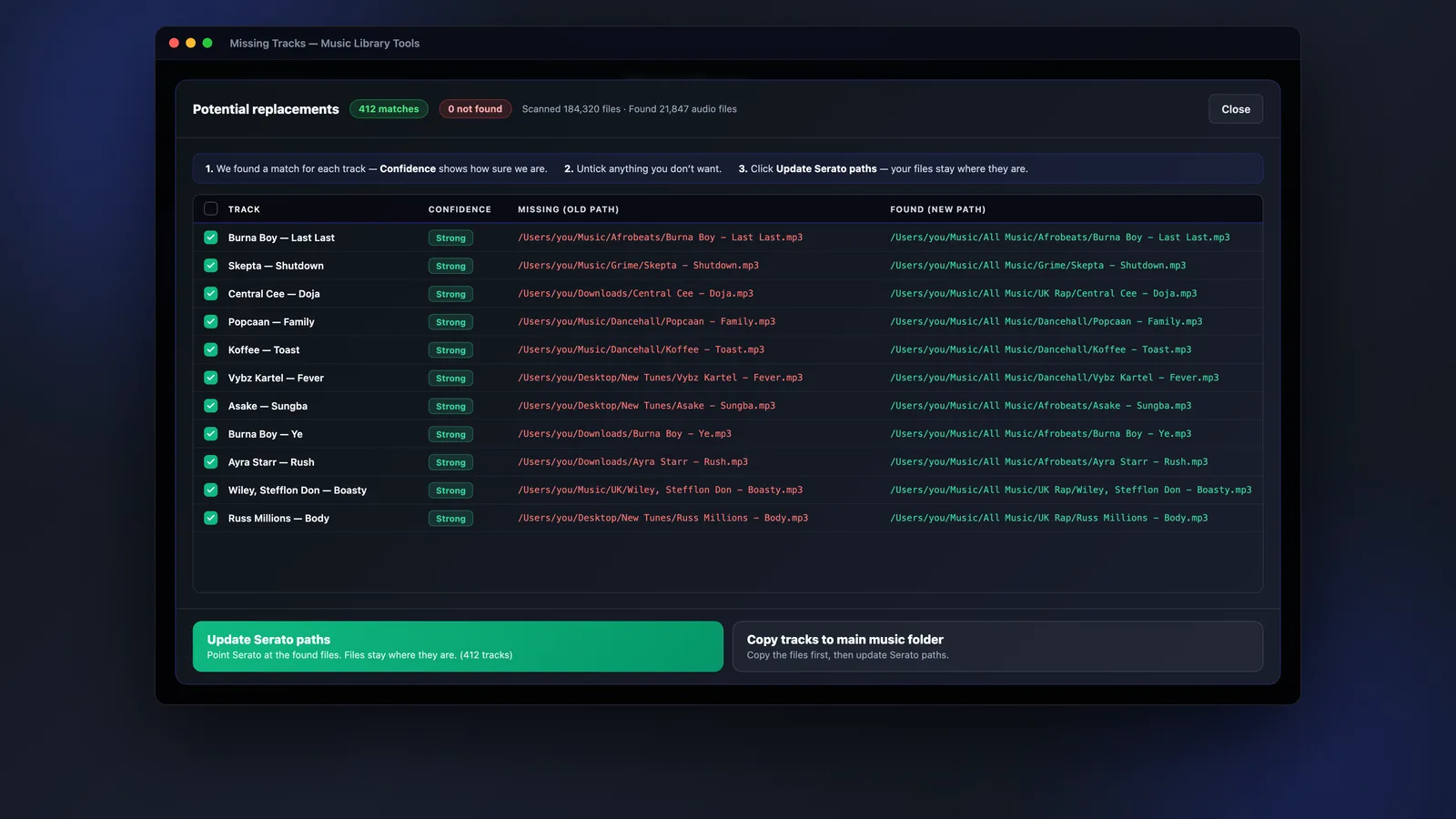
Prefer to review the missing files yourself? MLT can drop them all into a "Missing Tracks" crate so you can check the list or clear them out - nothing is deleted for you.
How it works
Scan, relink, play - MLT finds your files by filename and repoints Serato in seconds.
MLT searches your whole machine for the files Serato can't find, matching them by filename in seconds.
It updates Serato's paths to the found locations - the files stay exactly where they are.
The orange tracks turn normal again and load straight away. Bundle any leftovers into a crate if you like.
FAQs
Straight answers about orange tracks, your files, compatibility and price.
Find the files Serato can't load, relink them by filename and play again - free, with Music Library Tools.