
Start here
Getting started with Music Library Tools
Create your account, sign in and point MLT at your Serato library - set up and ready in under a minute.
MLT help
New to Music Library Tools? Start with the two setup videos below. If you're stuck on something they don't cover, email me and I'll help you sort it.
Getting started
Almost every support question comes down to MLT pointing at the wrong Serato library or the wrong music folder. These two videos cover both.
Start here
Create your account, sign in and point MLT at your Serato library - set up and ready in under a minute.
Setup
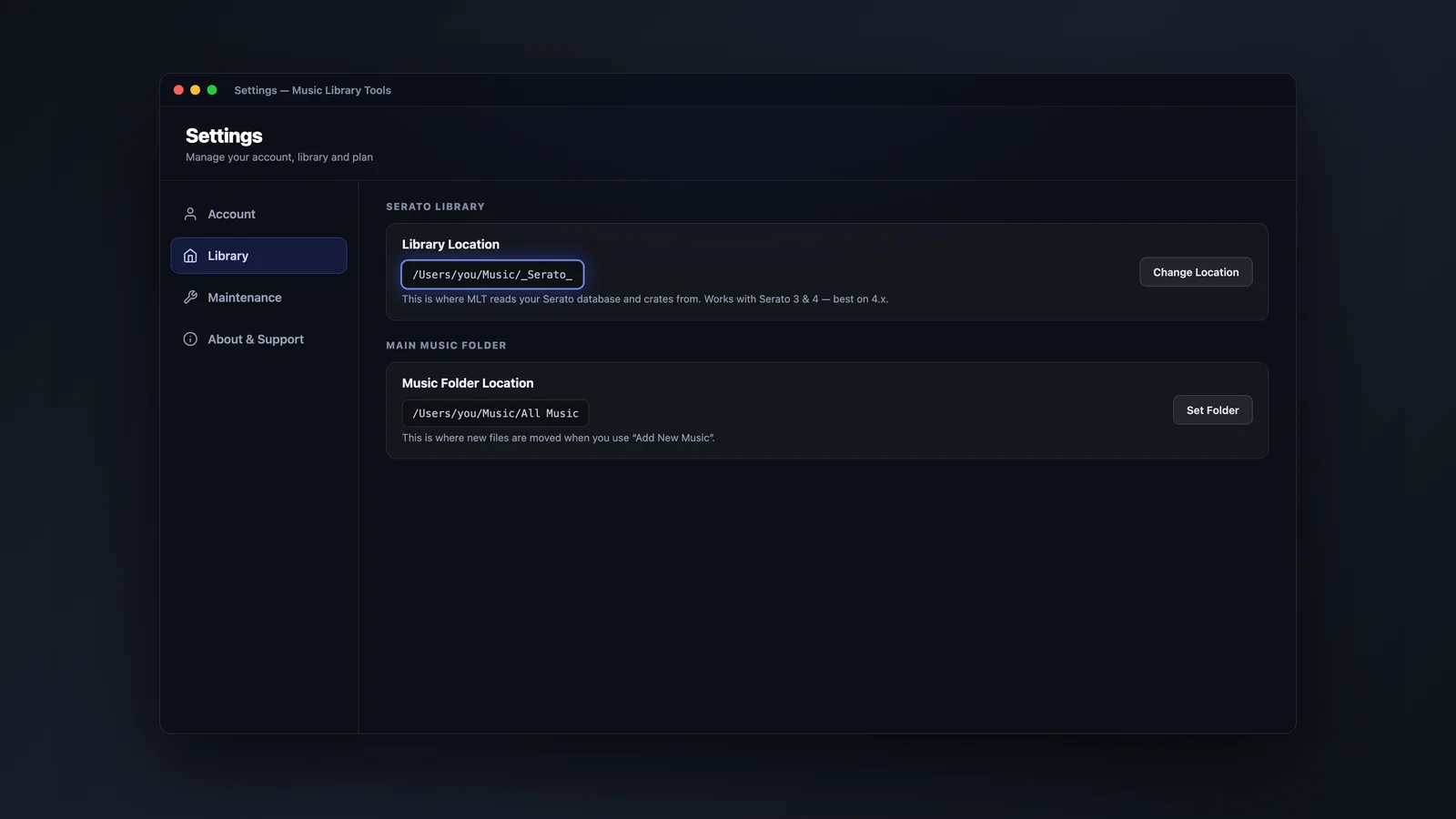
A quick tour of the Settings screen and the two paths that matter: the right Serato library, and your main music folder.
Where the paths live
If MLT is looking at the wrong library or the wrong music folder, this is the screen to check.
Common questions
Most things people write in about already have a tool that handles them.
Orange tracks
The files moved and the link broke. Missing Tracks scans your drives and relinks them, keeping your cue points.
New computer
Back it up with Backup, then rebuild it on the new machine with Restore - crates and cues included.
Duplicates
Find Duplicates matches on the audio itself, so it catches copies even when the filenames differ.
Licences
Check you're signed in with the email you bought with. Sign in to look, or email me and I'll check it for you.
Still stuck
Tell me what you're trying to do and what happens instead. If you can, say whether you're on Mac or Windows and which Serato version you're running - it saves a round trip.
[email protected]I read every message myself, so please allow a little time for a reply.