
Audio-fingerprint scanning
Scan your whole Serato library or a single folder. Fingerprinting catches duplicates even when filenames, tags or bitrates differ.
MLT helps DJs find and remove duplicate tracks, duplicate songs and duplicate files from their Serato library, helping keep music collections clean and easy to manage.
On your phone? Send the download to your laptop.
Free · no card needed · Mac & Windows
Sent — check your inbox.
Open it on your Mac or PC and the download link is inside. Check spam if it is not there in a minute.
Free to scan · Replacing duplicates inside crates is a £14.99 upgrade · Mac & Windows
What it does
Find Duplicates fingerprints the actual audio, so it catches copies even when filenames, tags or bitrates don't match - then helps you keep the best one.
Scan your whole Serato library or a single folder. Fingerprinting catches duplicates even when filenames, tags or bitrates differ.
Got a bad rip in a crate and a better copy elsewhere? MLT swaps it in and parks the bad one in a Duplicates crate to delete when ready. Also works across folders. Unlocked with the £14.99 upgrade or MLT Pro.
Review the results, approve the ones you don't want, then push the list straight into Serato to delete - one clean sweep.
You always review first. Find Duplicates only prepares the list - it never removes anything from your library on its own.
App preview
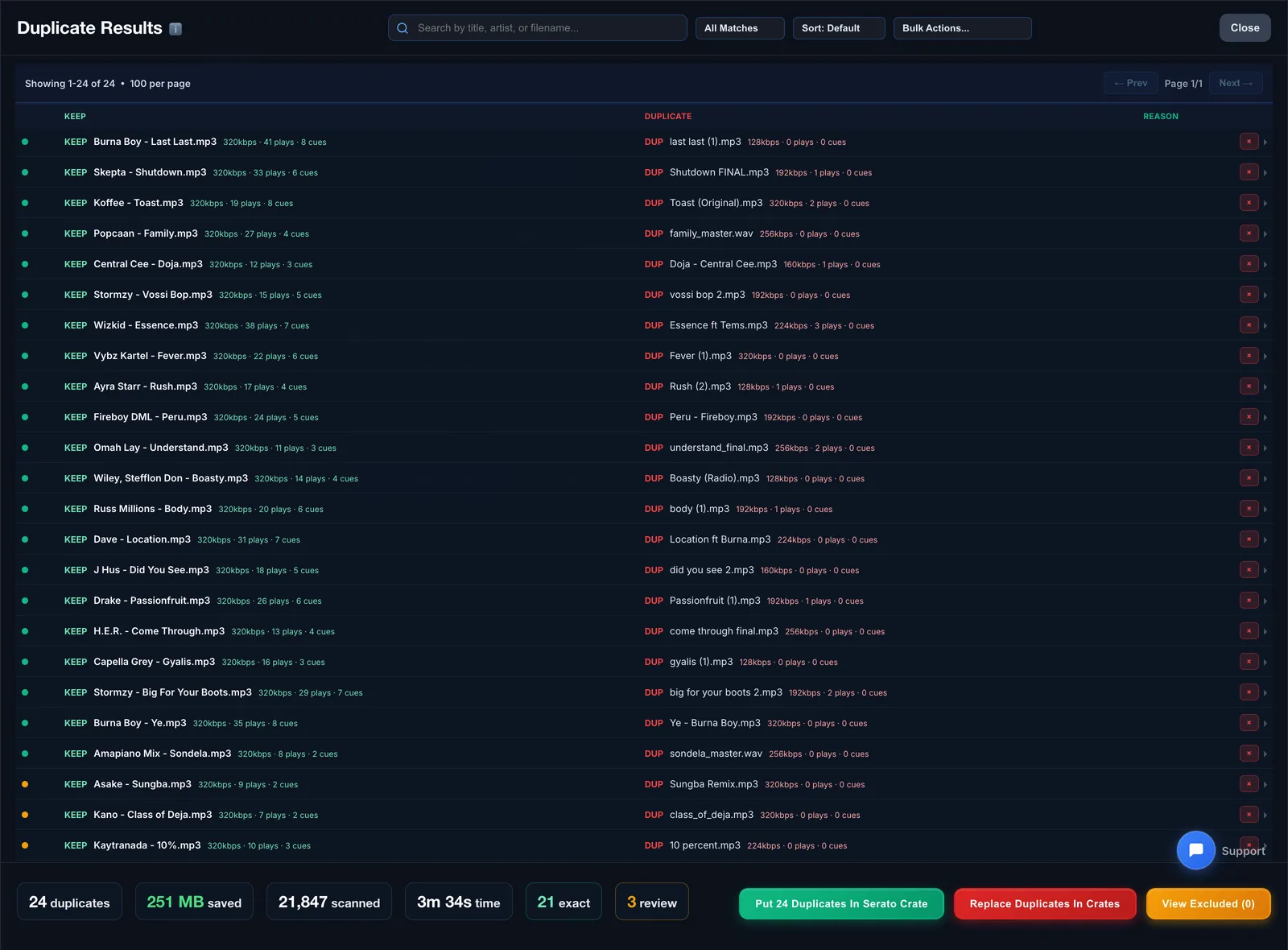
Matches are grouped by sound, with the best copy marked to keep and a clear reason for each - review, then clear the rest in one sweep.
How it works
A clean sweep in a few steps - and nothing leaves your library until you say so.
Fingerprint your whole library or a single folder. Duplicates surface even when tags, names or bitrates differ.
See each group with the best copy marked to keep and a plain-English reason for every duplicate.
Swap bad rips for better copies in your crates, then send the rest to Serato to delete in one sweep.
FAQs
Straight answers about deleting, matching, compatibility and price.
Scan your Serato library for duplicates by sound for free. Upgrade when you want MLT to replace them inside your crates for you.