
See where every file lives
Switch maps out where your music is scattered across your laptop - Desktop, Downloads, random drives - all in one view.
Switch finds every folder your music is scattered across - Desktop, Downloads, external drives - and funnels it all into one destination you choose. It updates Serato's file paths as it goes, so every crate and cue point still points at the right track. Copy or move, with a backup you can revert.
On your phone? Send the download to your laptop.
Free · no card needed · Mac & Windows
Sent — check your inbox.
Open it on your Mac or PC and the download link is inside. Check spam if it is not there in a minute.
Free preview · One-time payment · Included with MLT Pro · No subscription
What it does
Switch gathers your whole library into one destination, then updates Serato as it goes - so every crate and cue point still points at the right track.
Switch maps out where your music is scattered across your laptop - Desktop, Downloads, random drives - all in one view.
Move the files to one central folder and Switch updates Serato as it goes. Open Serato and everything plays - no missing tracks, no broken crates.
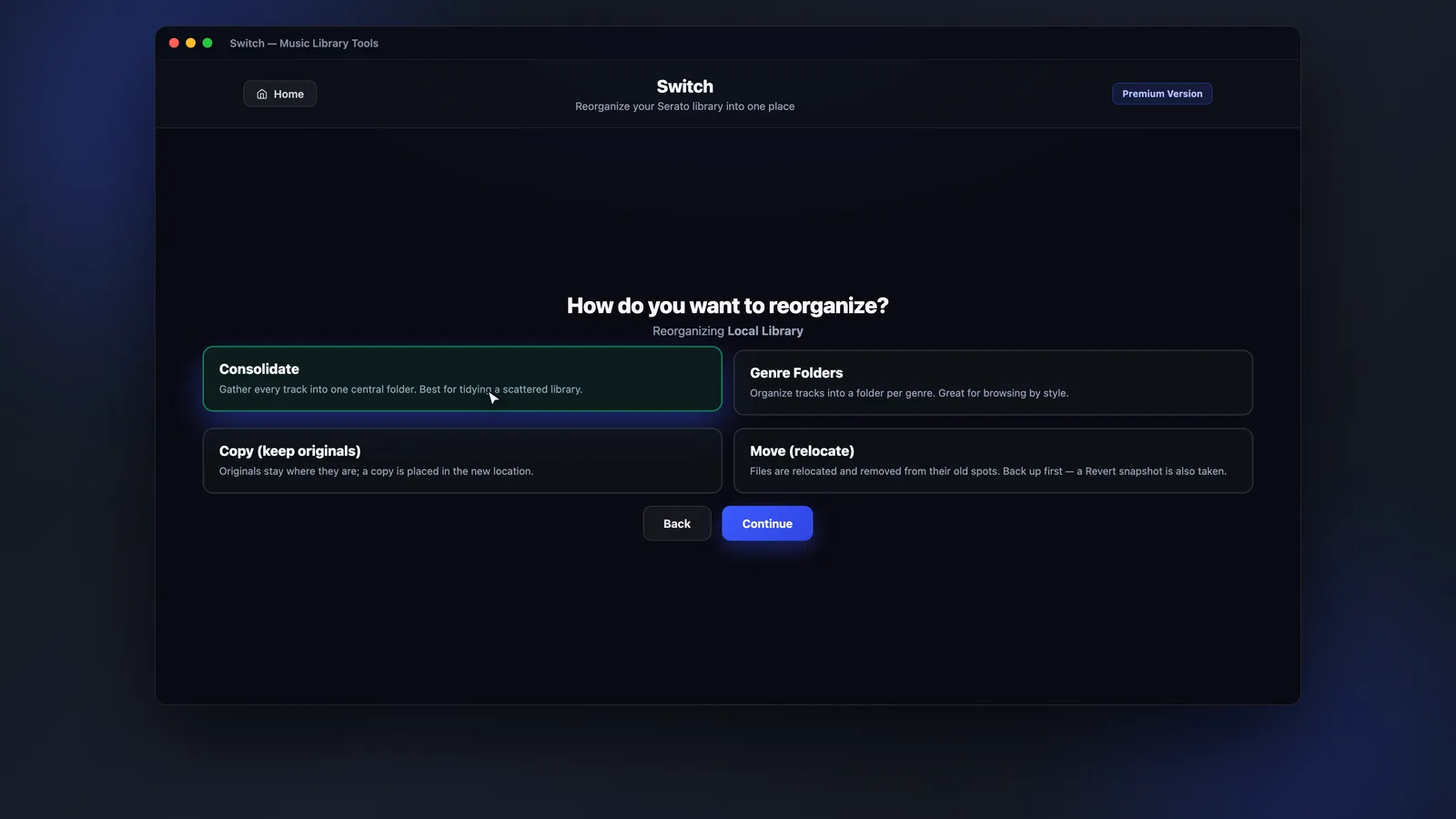
Copy is safer and keeps your originals; move relocates and cleans up to save space. A backup can be created automatically so you can revert.
Plug in an external drive and Switch sees it too - point it at your destination and everything funnels into one place.
App preview
See your total tracks, library size and every folder referencing your music - then pick Copy or Move, choose a destination, and Switch handles the rest.
How it works
A guided, reversible move - see what Switch found, choose how to move it, and let it keep Serato in sync.
Switch scans your library and shows your total tracks, size, and every folder your music lives in.
Choose Copy or Move, then point Switch at the one folder your whole library should live in.
Files funnel into your destination and every Serato path updates as it goes. Open Serato and everything plays.
FAQs
Straight answers about crates, copy vs move, drives and price.
Move your whole Serato library into a single destination, with every path updated and nothing left behind.