
Included free
Download MLT and use Add New Music free.
No payment needed. Set your music folder once, then use the right-click workflow whenever you download new tracks.
Add new music to Serato from Finder, File Explorer, or inside MLT. Files are moved into your main music folder and a dated crate is created automatically.
Mac & Windows · Serato only · No payment needed
App preview
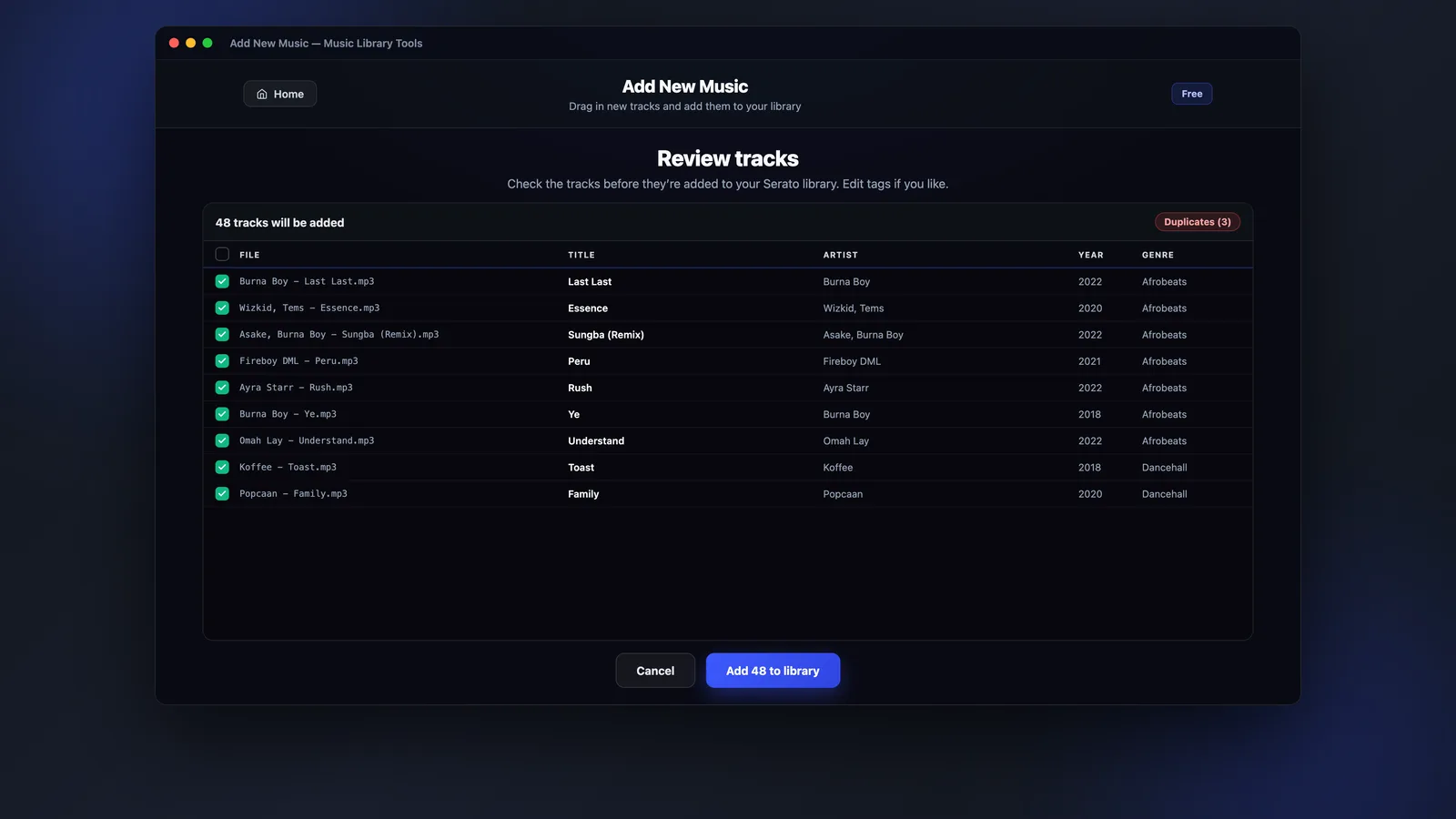
Open MLT when you want to check filenames, metadata and crates before sending the tracks into your library.
Why Add New Music
Built for the everyday job of getting new downloads into the right folder and into Serato without dragging files around manually.
Included free
No payment needed. Set your music folder once, then use the right-click workflow whenever you download new tracks.
What you get
What you get
A small set of practical jobs that keep new music organised from the moment you download it.
Add music directly from Finder or File Explorer with the Add to Serato option.
Open MLT to check tracks, edit fields and confirm what will be added.
New tracks are added into a crate for today so they are easy to find in Serato.
Keep new music going into one music folder instead of scattered downloads.
Open Serato and your new crate is already waiting for your next prep session.
The workflow is designed for both macOS Finder and Windows File Explorer.
Choose your workflow
Use the fastest right-click route for everyday downloads, or open MLT when you want to check track details before adding.
Fastest workflow
Choose Add to Serato and MLT handles the folder move and dated crate creation for you. No dragging files around manually.
Review first
Open MLT when you want to review filenames, track details and metadata before sending everything into your Serato library.
How it works
A simple workflow for adding new tracks without creating another messy downloads folder.
Add New Music
MLT keeps the files organised in your chosen music folder and creates a dated crate so your new music is ready inside Serato.
On your phone? Send the download to your laptop.
Free · no card needed · Mac & Windows
Sent — check your inbox.
Open it on your Mac or PC and the download link is inside. Check spam if it is not there in a minute.
FAQ
Straight answers about Add New Music and how it works.
Download Music Library Tools for free and add new music directly to Serato from Finder, File Explorer, or inside MLT.