
Spots misplaced tracks
Set your main music folder once. Drop a track into Serato from anywhere and MLT flags it the moment it lands outside.
Add a track to Serato that's not in your main music folder? MLT spots it instantly and moves it back - your library stays clean without thinking about it. Misplaced Tracks is part of MLT Switch, in one payment.
On your phone? Send the download to your laptop.
Free · no card needed · Mac & Windows
Sent — check your inbox.
Open it on your Mac or PC and the download link is inside. Check spam if it is not there in a minute.
Part of MLT Switch · One-time payment · Also in MLT Pro
What it does
Set your main music folder once. MLT flags anything stored outside it, shows exactly where each track will move, and puts it back - with Serato kept in sync.
Set your main music folder once. Drop a track into Serato from anywhere and MLT flags it the moment it lands outside.
MLT moves the file into your main folder and updates Serato. No hunting through Downloads or Desktop - your library stays tidy.
Bundles MLT Switch - move your whole existing library into one folder and keep new additions in check going forward.
Paths update automatically as tracks move, so nothing goes missing from your crates after a tidy-up.
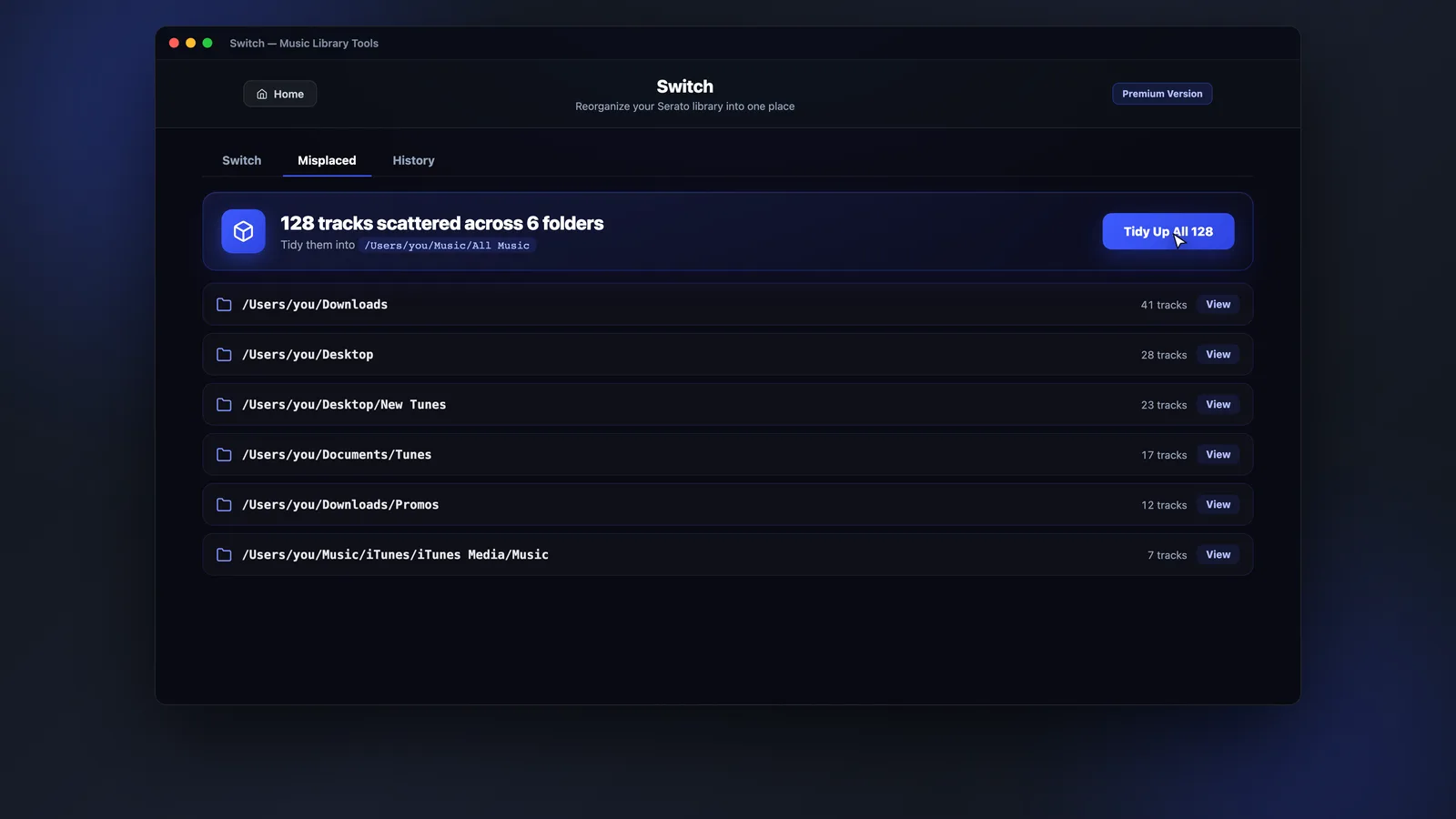
App preview
Each misplaced track shows its current location and where it's moving to - review, select, and move them home in one click.
How it works
One folder to rule them all - MLT keeps everything in it and Serato pointed at the right paths.
Point MLT at the one folder your music should live in - that's the setup, done once.
MLT finds any tracks stored outside it and shows where each one will move to.
Select the tracks and confirm. Files move into your main folder and Serato paths update.
FAQs
Straight answers about Switch, scanning, compatibility and price.
Catch stray tracks the moment they land outside your main folder and move them home - with Switch included.