
Waveforms, beatgrids and hot cues
Your analysis comes across, so the deck shows a full waveform and your cue points are where you left them. No re-analysing on the night.
Serato To USB puts your crates on a USB stick a Pioneer CDJ can actually read - waveforms, beatgrids and hot cues included. Turn up to the gig with a stick that just works, even if the booth has no laptop.
On your phone? Send the download to your laptop.
Free · no card needed · Mac & Windows
Sent — check your inbox.
Open it on your Mac or PC and the download link is inside. Check spam if it is not there in a minute.
Mac & Windows · Serato 3 & 4 · One-time payment · No subscription
App preview
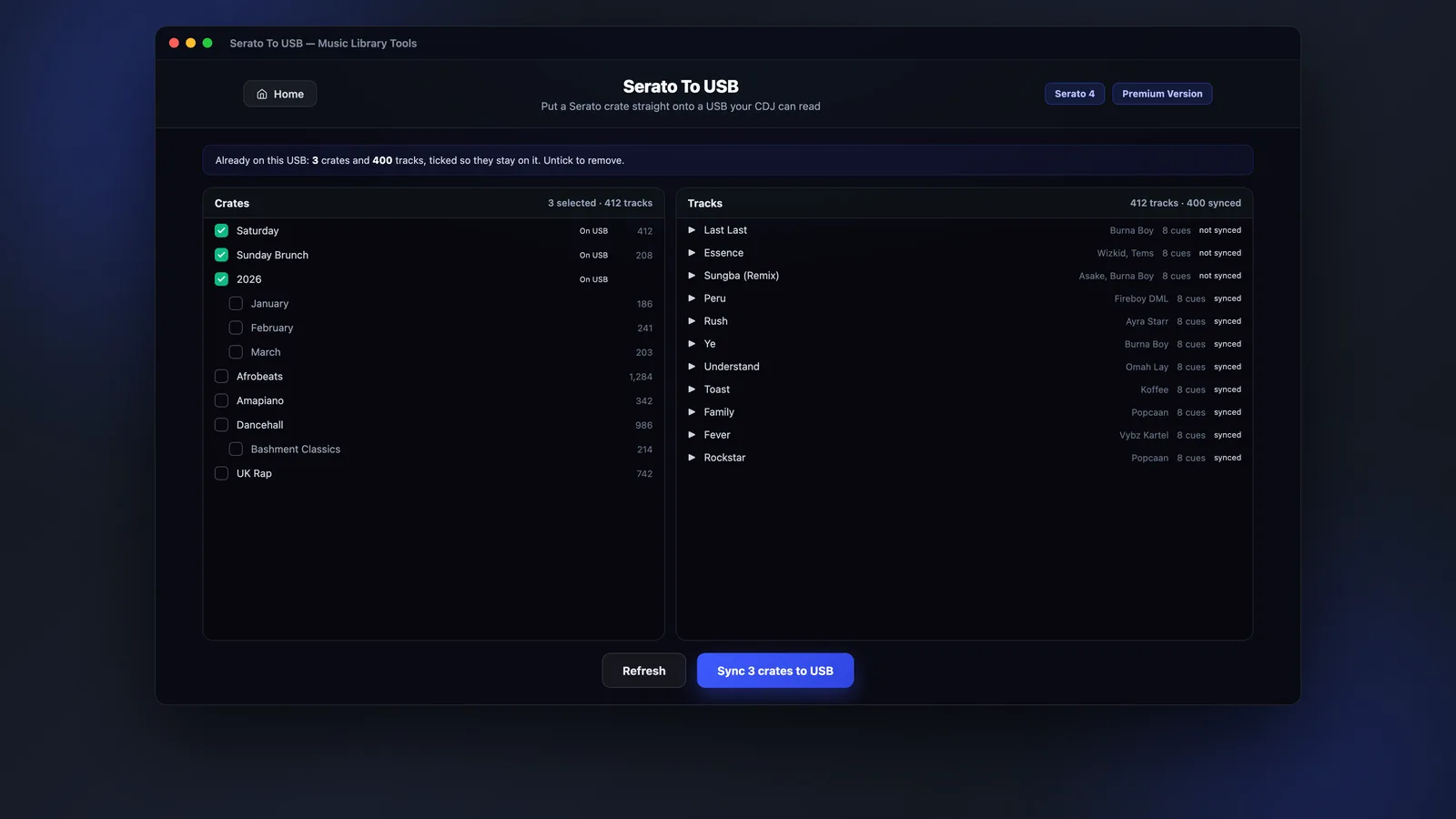
Crates on the left, tracks on the right: with everything already synced to the USB marked, so you only write what's new.
What it does
Serato To USB writes the database and analysis files a Pioneer player expects, so your crates land on the deck as real playlists - not a folder of loose files.
Your analysis comes across, so the deck shows a full waveform and your cue points are where you left them. No re-analysing on the night.
The first sync writes the stick. Every sync after that adds the new tracks and leaves the rest alone, so you're not re-copying a full stick before every gig.
Choose the crates for tonight rather than the whole library. Save the selection and reuse it the next time you're building a stick.
Tracks it can't find are grouped by folder before anything is written, so you fix the gaps at home instead of finding them in the booth.
Before you start
The wrong filesystem is the single most common reason a deck won't see a USB. Serato To USB won't sync to a stick in a format your decks can't use, and tells you how to fix it - but it won't reformat it for you, because that would wipe it.
| Format | Works on | |
|---|---|---|
| FAT32 (MBR) | Every Pioneer player | Recommended |
| HFS+ (non-journaled) | Any player from 2009 onwards | Works |
| exFAT | CDJ-3000, XDJ-XZ and XDJ-RX3 or newer only | Limited |
| Mac OS Extended (Journaled) | Folders only - no crates or cue points | Won't work |
| APFS / NTFS | Nothing reads these | Won't work |
One more thing: eject the stick properly before you pull it out. FAT32 keeps writes in memory until then, and a half-written database is one the deck rejects.
How it works
Three steps at home, and the stick is ready for the booth.
Tick the crates you want on the stick. MLT reads your Serato library exactly as Serato does, whether you're on Serato 3 or 4.
MLT analyses the audio and writes the database, waveforms, beatgrids, cues and artwork the player needs. Later syncs only add what's new.
Eject from the finished screen, plug into the deck, and your crates are there as playlists with the waveforms already drawn.
FAQs
Straight answers about players, formats, cue points and price.
Put your Serato crates on a USB your CDJs can read - waveforms, beatgrids and hot cues included.