
Searches every drive
Drop in the .crate file and CrateFind looks across your computer and connected drives for each track it lists - not just your main music folder.
Someone sends you a .crate file, or you dig one out of an old backup, and Serato won't link it up. CrateFind reads the track list, hunts down every file across your drives, and rebuilds the crate for you.
On your phone? Send the download to your laptop.
Free · no card needed · Mac & Windows
Sent — check your inbox.
Open it on your Mac or PC and the download link is inside. Check spam if it is not there in a minute.
Included free · Mac & Windows · Serato · No subscription
App preview
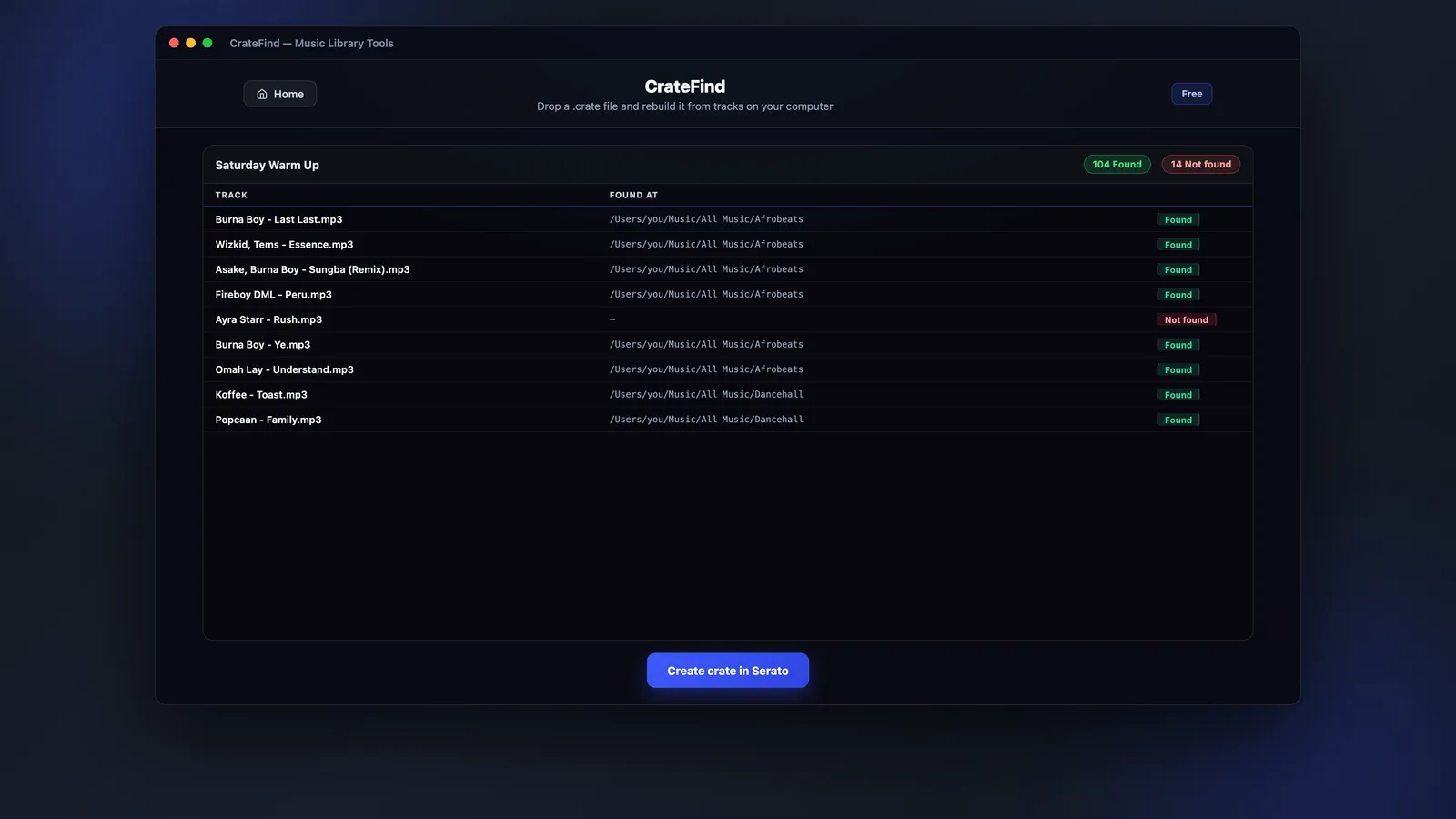
CrateFind lists each track in the .crate file and whether it turned up on your drives. You see the whole picture before anything is created in Serato.
What it does
A .crate file holds track names and file paths, not the audio - so it breaks the moment the paths don't match your computer. CrateFind ignores the broken paths and goes looking for the actual files.
Drop in the .crate file and CrateFind looks across your computer and connected drives for each track it lists - not just your main music folder.
Once the tracks are found, the crate is recreated in your Serato library, pointing at the copies you actually have.
Tracks that are on your computer but outside your main music folder get called out, so you can tidy them up rather than leave them scattered.
You see what was found and what's still missing before the crate is created. Nothing is written to your library until you say go.
How it works
Three steps between a dead .crate file and a working crate in Serato.
Drag in the crate someone sent you, or one you've found in an old backup. CrateFind reads the track list out of it.
It hunts your computer and connected drives for each track, matching on the file rather than trusting the old path.
Review what was found, then create the crate. It appears in Serato pointing at the copies on your machine.
FAQs
Straight answers about crate files, missing tracks, compatibility and price.
Rebuild a Serato crate from a .crate file, using the tracks you already have - free, with Music Library Tools.