
Groups every version of a song
Versions reads the tags in your Serato library and groups tracks by song, so "Candy Shop (Intro Outro) (Dirty)" and "Candy Shop - DJ Serg Remix" land together, without guessing from filenames.
The intro edit, the clean, the dirty, three remixes and a copy ending in (1). Versions lines up every version of every song in your Serato library, side by side, so you can hear them and decide which ones you actually play.
On your phone? Send the download to your laptop.
Free · no card needed · Mac & Windows
Sent — check your inbox.
Open it on your Mac or PC and the download link is inside. Check spam if it is not there in a minute.
Included free · Mac & Windows · Serato · No subscription
App preview
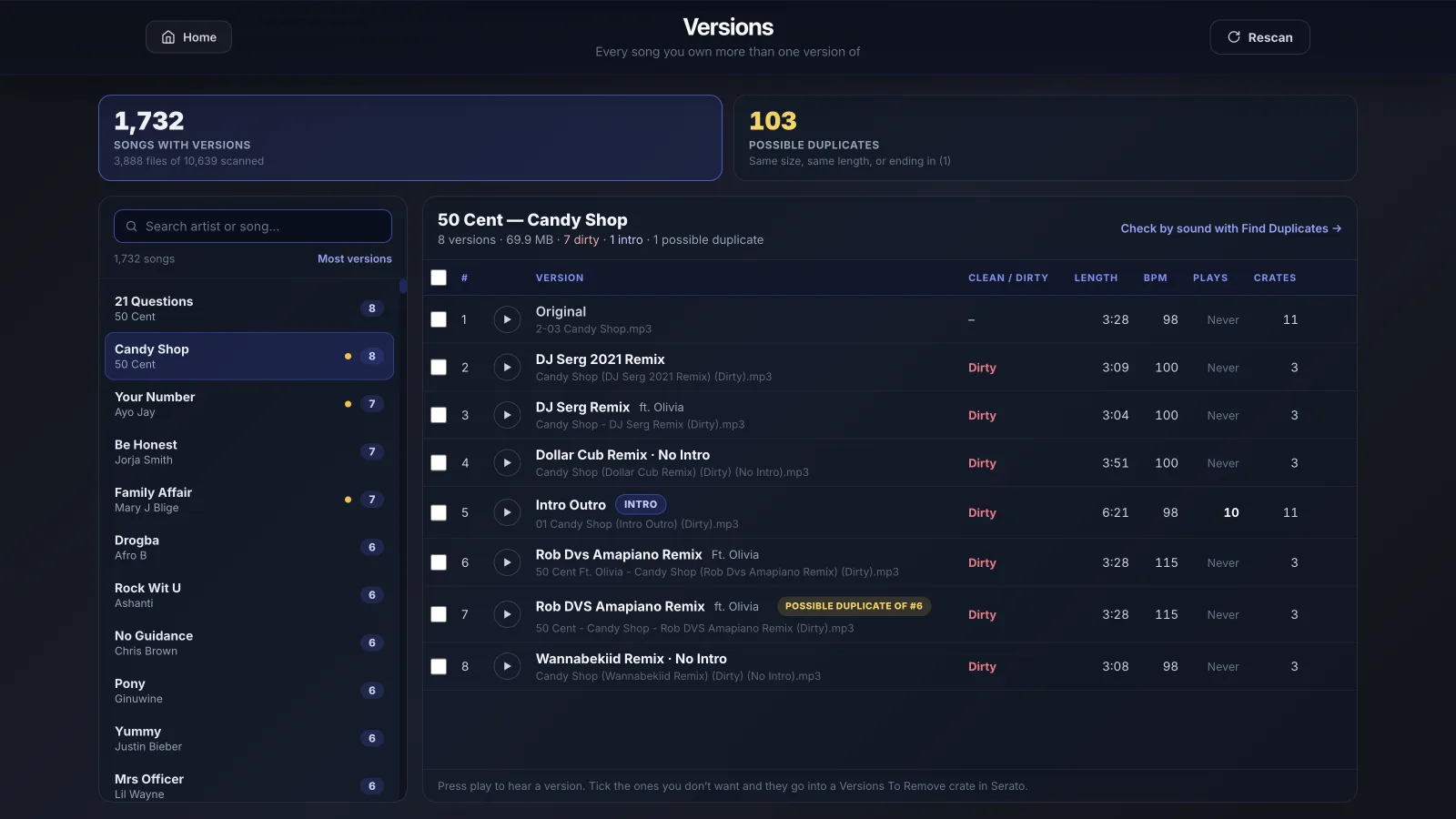
Pick a song and every version you own is right there: the full track name, Clean or Dirty, length, BPM, how often you've played it, and which crates it's in. Press play on any of them to hear the difference.
What it does
Duplicate finders look for the same file twice. Versions is for the other problem: the intro edit, the radio edit, the clean and the remix of one track, scattered across your library, all slightly different and all taking up a slot in your crates.
Versions reads the tags in your Serato library and groups tracks by song, so "Candy Shop (Intro Outro) (Dirty)" and "Candy Shop - DJ Serg Remix" land together, without guessing from filenames.
Press play on any version right in the list. Compare the intro, the edit and the remix one after another without loading anything into Serato.
Each version is tagged Clean or Dirty, intro edits are marked, and play counts show which one you actually reach for. Sort by any column to group them.
Tick the versions you'd get rid of and they go into a "Versions To Remove" crate in Serato. Nothing is deleted or moved: you remove them yourself in Serato, when you're ready.
How it works
Three steps from a library full of near-duplicates to a list of what to clear out.
It reads your Serato library in seconds and lists every song you own more than one version of, most versions first.
Play each version, check its length, BPM and play count, and see which crates it's in. Copies that look like the same file are flagged.
Tick the ones you don't need. They go into a Versions To Remove crate, and you delete them in Serato yourself.
FAQs
Straight answers about versions, duplicates, what gets deleted and price.
See every version of every song you own and clear out the ones you never play - free, with Music Library Tools.